Browser Recorder Besplatno snimanje zaslona sa zvukom za Chrome
Lagano proširenje za Chrome koje snima audio, video i zvuk izravno iz vašeg web-preglednika — preko cijelog zaslona, kartice ili prozora, s izbornom naracijom za mikrofon. Besplatno, bez vodenog žiga, bez vremenskog ograničenja.
 Dodajte u Chrome — besplatno je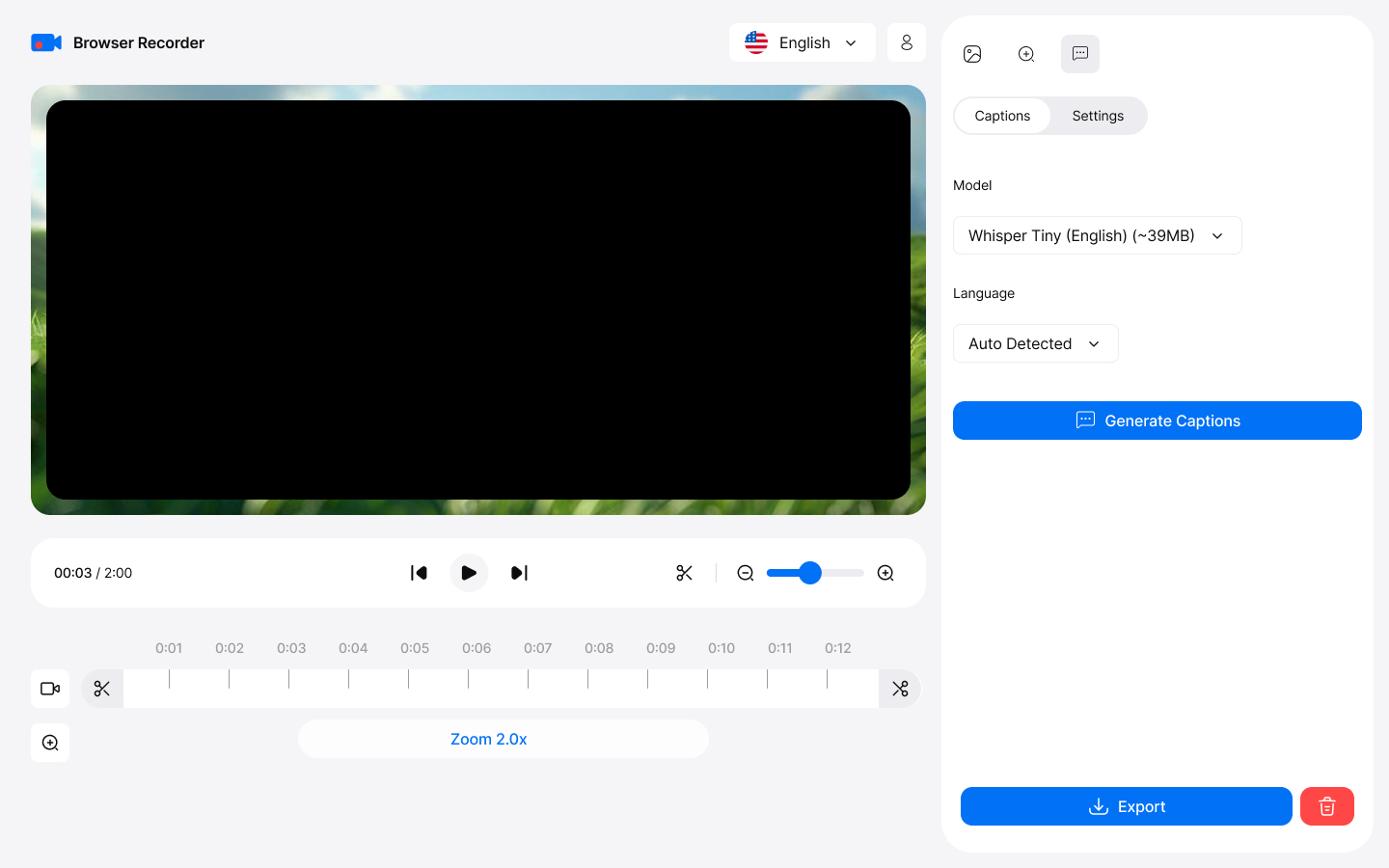
How it works
Capture
This browser sound recorder captures your entire screen, specific tabs, or application windows with exceptional clarity—ideal for professional presentations and tutorials. To get started, simply click "Start Recording" in the app to begin capturing instantly.
Export
To save your recording after editing, click "Save" in the video editor. You can choose to download the file in WebM or MP4 format for easy playback and sharing.
Key Features
Everything you need for professional screen recording
Snimite svoj ekran u HD-u
Screen recording with audio in HD quality. Capture entire screens, specific tabs, or application windows with exceptional clarity.
Snimite zvuk kartice i mikrofon zajedno
Snimajte zvuk s kartica preglednika vrhunske kvalitete. Snimajte zvuk sustava i mikrofon istovremeno — pravi snimač glasa u pregledniku za narirane upute, bez vodenih žigova ili vremenskih ograničenja.
Opisi generirani umjetnom inteligencijom
Automatski pretvorite govor u precizne titlove pomoću Whisper AI na uređaju, a zatim ih zapržite u svoj izvezeni videozapis. Nema ručnog tipkanja.
Nije potrebna aplikacija za stolno računalo
Works directly in Chrome without heavy desktop apps. Zero system slowdown with efficient compression algorithms.
Built-in Editor
Skratite i izrežite snimke, dodajte pametni zum koji prati pokazivač i elegantne pozadine. Izvoz u MP4, WebM, MOV ili MKV do 4K.
Snimke nikada ne napuštaju vaš uređaj
Vaše snimke nikada ne napuštaju vaš uređaj. Sva obrada i pohrana odvijaju se lokalno, tako da imate potpunu kontrolu nad svojim sadržajem.
Professional Use Cases
Trusted by professionals worldwide
For Educators
- Create online courses with screen recording
- Record browser video lectures with voice narration
- Capture interactive demonstrations
- Save student presentations
For Business
- Record online meetings and webinars
- Create training materials
- Document software workflows
- Archive important conferences
For Content Creators
- Produce YouTube tutorials effortlessly
- Create product reviews and demonstrations
- Record gameplay from web-based games
- Capture streaming content legally
Getting Started
Start recording in minutes with our intuitive interface
Install from Chrome Web Store
Download and add the extension to your Chrome browser in one click.
Choose recording mode
Kliknite ikonu proširenja i odaberite cijeli zaslon, prozor ili karticu — po želji dodajte svoju kameru kao sloj.
Select audio sources
Choose microphone, system audio, or both for comprehensive recording.
Start recording
Click start and begin recording. Edit and export when you're done!