Browser Recorder Gratis skjermopptak med lyd for Chrome
En lett Chrome-utvidelse som tar opp lyd, video og lyd rett fra nettleseren din – fullskjerm, fane eller vindu, med valgfri mikrofonfortelling. Gratis, uten vannmerke, ingen tidsbegrensning.
 Legg til i Chrome – det er gratis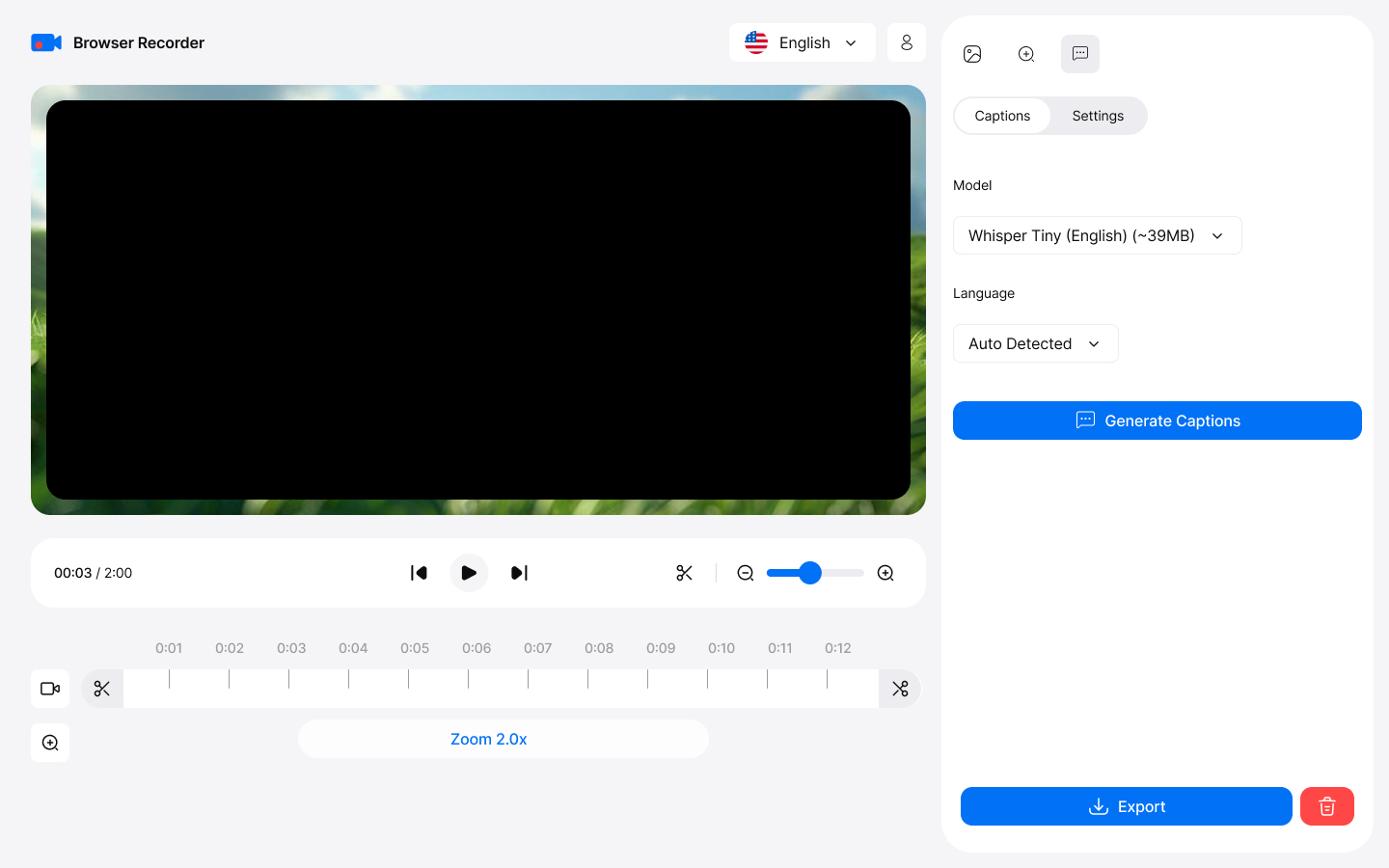
How it works
Capture
This browser sound recorder captures your entire screen, specific tabs, or application windows with exceptional clarity—ideal for professional presentations and tutorials. To get started, simply click "Start Recording" in the app to begin capturing instantly.
Export
To save your recording after editing, click "Save" in the video editor. You can choose to download the file in WebM or MP4 format for easy playback and sharing.
Key Features
Everything you need for professional screen recording
Ta opp skjermen din i HD
Screen recording with audio in HD quality. Capture entire screens, specific tabs, or application windows with exceptional clarity.
Capture Tab Audio og Mic sammen
Ta opp lyd fra nettleserfaner med perfekt kvalitet. Ta opp systemlyd og mikrofon samtidig - en ekte nettleserstemmeopptaker for fortellerveiledninger, uten vannmerker eller tidsbegrensninger.
AI-genererte bildetekster
Gjør tale automatisk til nøyaktige bildetekster med Whisper AI på enheten, og brenn dem deretter inn i den eksporterte videoen din. Ingen manuell skriving.
Ingen skrivebordsapp nødvendig
Works directly in Chrome without heavy desktop apps. Zero system slowdown with efficient compression algorithms.
Built-in Editor
Trim og klipp opptak, legg til smart zoom som følger markøren og stilige bakgrunner. Eksporter i MP4, WebM, MOV eller MKV opptil 4K.
Opptak Forlat aldri enheten
Opptakene dine forlater aldri enheten. All behandling og lagring skjer lokalt, slik at du har full kontroll over innholdet ditt.
Professional Use Cases
Trusted by professionals worldwide
For Educators
- Create online courses with screen recording
- Record browser video lectures with voice narration
- Capture interactive demonstrations
- Save student presentations
For Business
- Record online meetings and webinars
- Create training materials
- Document software workflows
- Archive important conferences
For Content Creators
- Produce YouTube tutorials effortlessly
- Create product reviews and demonstrations
- Record gameplay from web-based games
- Capture streaming content legally
Getting Started
Start recording in minutes with our intuitive interface
Install from Chrome Web Store
Download and add the extension to your Chrome browser in one click.
Choose recording mode
Klikk på utvidelsesikonet og velg fullskjerm, vindu eller fane – legg eventuelt til kameraet som et overlegg.
Select audio sources
Choose microphone, system audio, or both for comprehensive recording.
Start recording
Click start and begin recording. Edit and export when you're done!