Browser Recorder 適用於 Chrome 的免費螢幕錄製和音頻
一款轻量级 Chrome 扩展程序,可直接从网络浏览器录制音频、视频和声音 - 全屏、选项卡或窗口,并带有可选的麦克风旁白。免費,無浮水印,無時間限制。
 添加到 Chrome — 免費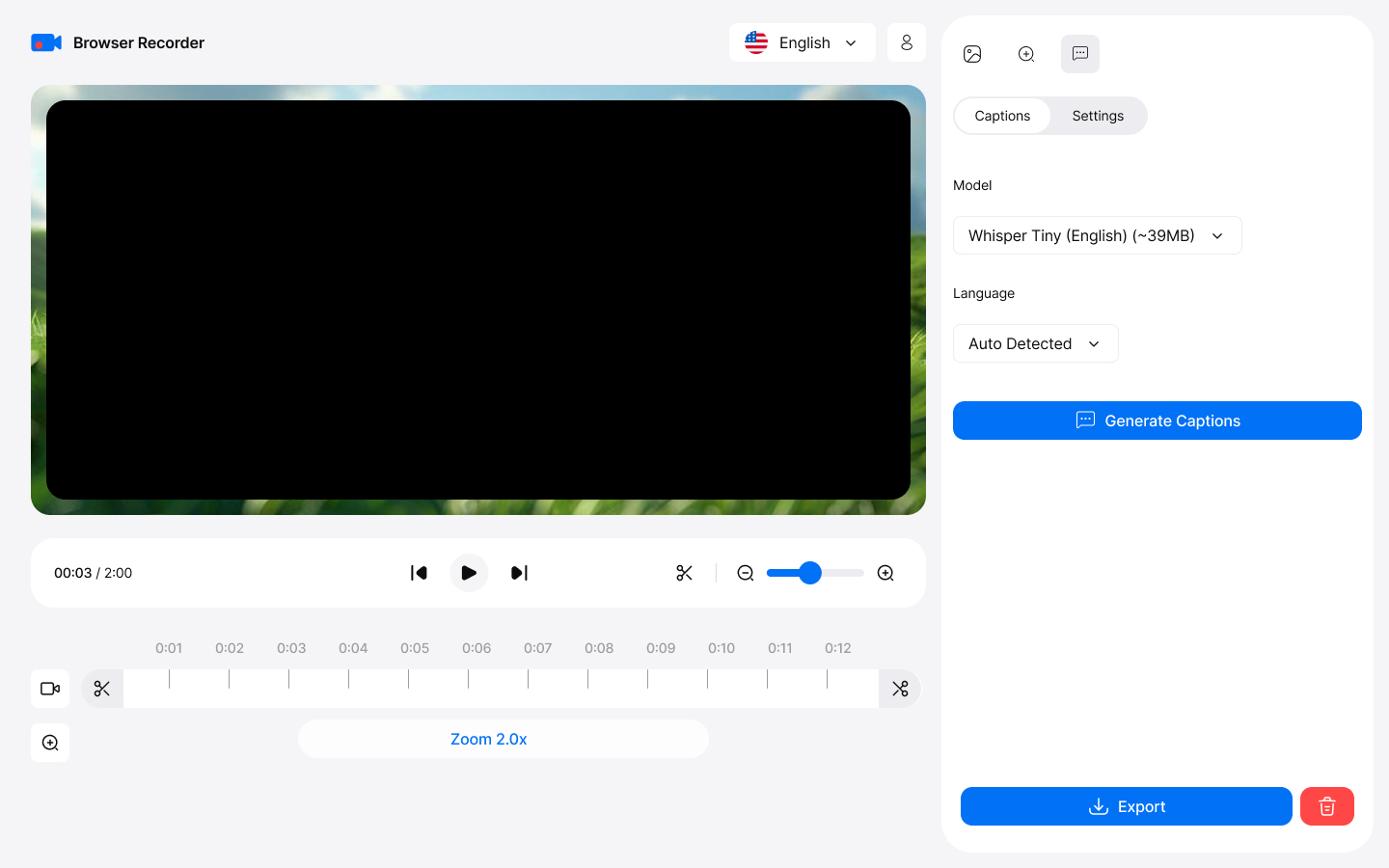
How it works
Capture
This browser sound recorder captures your entire screen, specific tabs, or application windows with exceptional clarity—ideal for professional presentations and tutorials. To get started, simply click "Start Recording" in the app to begin capturing instantly.
Export
To save your recording after editing, click "Save" in the video editor. You can choose to download the file in WebM or MP4 format for easy playback and sharing.
Key Features
Everything you need for professional screen recording
高清錄製您的螢幕
Screen recording with audio in HD quality. Capture entire screens, specific tabs, or application windows with exceptional clarity.
一起捕捉選項卡音訊和麥克風
以原始品質錄製瀏覽器標籤中的聲音。同時捕捉系統聲音和麥克風 - 用於解說教學的真正瀏覽器錄音機,沒有浮水印或時間限制。
AI 產生的字幕
使用裝置上的 Whisper AI 自動將語音轉換為準確的字幕,然後將其刻錄到匯出的影片中。無需手動打字。
無需桌面應用程式
Works directly in Chrome without heavy desktop apps. Zero system slowdown with efficient compression algorithms.
Built-in Editor
修剪和剪切錄音,添加跟隨遊標的智慧縮放以及時尚的背景。以 MP4、WebM、MOV 或 MKV 格式匯出,最高可達 4K。
錄音永遠不會離開您的設備
您的錄音永遠不會離開您的裝置。所有處理和儲存都在本地進行,因此您可以完全控制您的內容。
Professional Use Cases
Trusted by professionals worldwide
For Educators
- Create online courses with screen recording
- Record browser video lectures with voice narration
- Capture interactive demonstrations
- Save student presentations
For Business
- Record online meetings and webinars
- Create training materials
- Document software workflows
- Archive important conferences
For Content Creators
- Produce YouTube tutorials effortlessly
- Create product reviews and demonstrations
- Record gameplay from web-based games
- Capture streaming content legally
Getting Started
Start recording in minutes with our intuitive interface
Install from Chrome Web Store
Download and add the extension to your Chrome browser in one click.
Choose recording mode
點擊擴充圖示並選擇全螢幕、視窗或標籤 - 可以選擇將相機新增為疊加層。
Select audio sources
Choose microphone, system audio, or both for comprehensive recording.
Start recording
Click start and begin recording. Edit and export when you're done!